
The big shift: paying for work done, not headcount
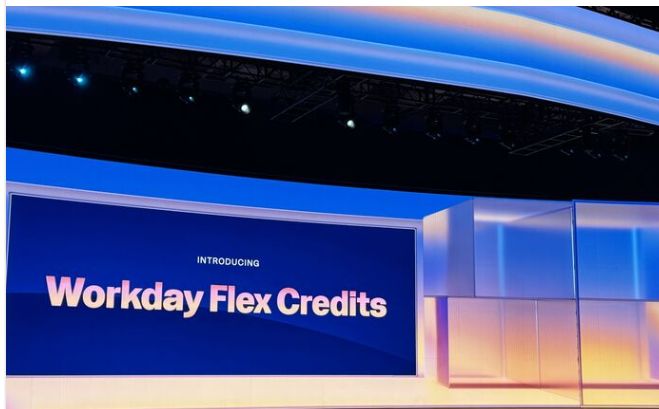
The core idea is simple. With Flex Credits, you pay for the work the AI completes on your behalf, not the number of people in your organization. Your cost is tied to usage, not headcount.
Workday's reasoning is that you should pay for value delivered rather than tokens consumed. Agents are metered when a task is complete, by outcome or action, rather than by user counts or time spent in the tool. The practical benefit Workday emphasizes is speed: when you are on the Flex Credit model, you get access to new AI innovations as soon as they are released, with no new procurement cycle and no signature wait.
That last point matters for HRIS teams. If your priorities shift mid-year, for example expanding the Self-Service Agent to a new group or giving analysts the Planning Agent, you make the change in the product and your credits follow your usage. No ticket, no new order form.
How Flex Credits work, in four steps
Workday frames the model in four stages. This is a good mental model for planning.
- Test before you invest. You get Complimentary Flex Credits to explore agents in production, and you can test for free in non-production environments.
- Scale with a subscription. Once you have real production usage data, you buy a bulk pool of credits that you draw down over the year.
- Use what you need. Credits are consumed only when agents or eligible platform capabilities run in production. Costs follow value.
- Shift as priorities change. Turn capabilities on or off and redirect credits instantly as the business changes, without extra procurement.
A key detail for testing: actions taken for testing and evaluation in non-Production environments do not consume Flex Credits. You only burn credits in production.
What consumes credits: the Rate Card
Every agent and platform offer has a defined capability or skill, a consumption meter, and a fixed number of credits per unit of work. This lives on the Workday Flex Credits Rate Card. When an action or event completes, your balance drops by the amount listed for that skill.
The number of credits per skill reflects Workday's estimate of the value it delivers, in time saved and efficiency gained. Cheap, high-frequency actions cost little. Heavier, higher-value tasks cost more. A few real examples from the current Rate Card:
| Agent / Offer | What it does | Meter | Credits |
|---|---|---|---|
| Sana Platform and Self Service | Employee and manager self-service action | Per action | 1 |
| Sana | AI storage | Per GB annually | 120 |
| BP Optimize Agent | Analyze and optimize a business process event | Per event | 1 |
| Payroll Agent | Identify missing payroll data and config | Per 10 worker records per run | 5 |
| Payroll Agent | Payroll Q&A or minimum wage Q&A | Per request | 10 |
| Planning Agent | Data exploration and analysis | Per request | 8 |
| Recruiting Agent | Screen a resume and give a match score (Spotlight) | Per resume | 6 |
| Recruiting Agent | Talent rediscovery (Fetch) | Per unique requisition | 750 |
| Talent Mobility Agent | Internal employee retrieval (Internal Fetch) | Per unique requisition | 750 |
| Contract Intelligence Agent | Custom document analysis | Per document | 5 |
| Contract Negotiation Agent | Full review and redline against a playbook | Per document, multiple rounds allowed | 500 |
| Core Platform | Standard API calls | Per 10k API calls | 60 |
The takeaway: costs vary widely by skill. A self-service question is 1 credit. A talent rediscovery run is 750. When you model spend, model it per skill and per expected volume, not as a single blended rate.
A note on availability. Several offers on the Rate Card are still in the design phase and not generally available. These include the Revenue Contract Agent, Financial Audit Agent, Frontline Agent, Contingent Sourcing Agent, and the Workday Flowise Agent Builder. Workday can change or remove their functionality and pricing at any time, and they may never be released for use. Plan around what is generally available today.
What you get for free: Complimentary Flex Credits
To help you start, Workday grants an annual allotment of Complimentary Flex Credits at no cost, based on your company size. You use these to explore agents in production and generate real usage data, so you can budget the paid subscription with confidence.
| Customer type | Segment | Annual complimentary credits |
|---|---|---|
| HCM or FIN | 100k+ employees | 200,000 |
| HCM or FIN | 30k to 99,999 employees | 120,000 |
| HCM or FIN | 10k to 29,999 employees | 60,000 |
| HCM or FIN | 3.5k to 9,999 employees | 30,000 |
| HCM or FIN | Under 3.5k employees | 15,000 |
| Planning without HCM or FIN | All segments | 10,000 |
A few rules worth knowing. There is no stacking: even if you have multiple order forms that reference the policy, you do not get concurrent grants of complimentary credits. There is no rollover: unused complimentary credits do not carry into the next period. And Workday can change them: it may modify or stop providing complimentary credits at the renewal of your underlying order form.
There is also an important timing change. When complimentary credits reset depends on your policy effective date. If your effective date is before May 29, 2026, complimentary credits expire and reset each year on the anniversary of your policy effective date. If your effective date is May 29, 2026 or later, they expire and reset each year on January 1, and the first grant is prorated based on the month it was granted. So a customer that comes onto the policy mid-2026 gets a prorated first-year grant and then a clean January reset.
Paid Flex Credits: subscription, expiry, and overages
Your paid Flex Credits are a bulk, pre-purchased pool tied to a Flex Credit Order Form. A few mechanics to plan around:
- They expire. Flex Credits expire on the last day of the subscription period on the order form. Unused credits do not roll over.
- You can top up anytime. Additional credits can be purchased at any time through your Account Executive or reseller, and can be prorated to align with the subscription period.
- Overages must be covered. If your usage exceeds your complimentary plus purchased credits, you pay for the overage. If you do not buy additional credits to cover it, you must stop using the offers and may lose access. Purchases for excess usage apply immediately.
The practical implication: because credits expire and do not roll over, plan your annual pool against realistic production volumes. Buying too much wastes budget at period end. Buying too little risks an access interruption until you top up.
Platform Entitlements: the part Extend and integration teams should read
Flex Credits are not the only meter. Workday also tracks Platform Entitlements, which cover API requests, and under the prior policy version also covered integration events and document storage. You get a baseline annual entitlement based on company size, it resets each year on your policy anniversary, and it does not roll over or stack across order forms. The baseline API entitlement by segment:
| Segment | Baseline API requests per year |
|---|---|
| 100k+ employees | 6.5M |
| 30k to 99,999 employees | 6.0M |
| 10k to 29,999 employees | 4.5M |
| 3.5k to 9,999 employees | 3.5M |
| Under 3.5k employees | 2.5M |
If you hold certain Service SKUs, your baseline increases. Each increase is calculated off the baseline, and if you hold several SKUs you get all the applicable increases:
| Service SKU | Baseline increase |
|---|---|
| Student Service | +150% |
| Procurement | +100% |
| Accounting Center | +100% |
| Extend | +50% |
| Prism | +15% |
| Fins | +15% |
This is where teams get surprised by what counts and what does not. Production API requests count toward your entitlement, but several sources are excluded:
- API requests from Workday-built agents listed on the Rate Card.
- Workday prebuilt, non-custom, unmodified integrations, including Core Connectors.
- Built on Workday applications.
- Workday Everywhere usage, for example Teams and Slack.
By contrast, modified Workday-built integrations and non-Workday-built integrations do count, with the exception of Built on Workday applications. The policy also clarifies that API calls between Workday and a named set of products (Paradox, HiredScore, VNDLY, Evisort or Contract Lifecycle Management, Sana, Peakon, Zimit, Workday Strategic Sourcing, and Adaptive Planning) are not counted.
If you blow past your Platform Entitlement, any unused Flex Credits are applied to cover the excess. If you have no positive Flex Credit balance, you must buy more.
One important version note. Workday published two versions of this policy in the same document. The newer version applies starting May 30, 2026, and the earlier version applied before that date. The newer version is the one to work from now. There are small differences between them, for example the complimentary grant for Planning customers without HCM or FIN moved, and the older version treated Integration Events and Document Storage as additional Platform Components alongside APIs. Check which version governs your specific order form.
What this means in practice
A few planning points we would flag for any team moving onto this model:
- Model spend by skill, not by a blended rate. A 1-credit self-service action and a 750-credit talent rediscovery run live in the same pool but behave very differently. Forecast volume per skill.
- Use the free tier to generate real data. The complimentary credits exist so you can run agents in production and see actual consumption before you commit budget. Treat the first period as a measured pilot.
- Watch the expiry and reset dates. Credits and entitlements do not roll over. Align your purchase to realistic annual usage and know your reset date, especially given the January 1 reset for newer policy effective dates.
- Extend and Built on Workday buyers, check your API math. Built on Workday apps are excluded from API entitlement metering, and an Extend SKU lifts your baseline by 50 percent. That can change your platform cost picture materially.
- Use the Consumption Console. Workday provides a Platform Consumption Console for visibility into where credits are going. Make someone the owner of watching it.
“The model rewards teams that plan with real numbers and review usage regularly. It penalizes set and forget.”
Common questions, answered
Q: What are Workday Flex Credits?
A: A usage-based pricing model for Workday's AI agents and platform innovations. Credits are bought in bulk and applied across any eligible agent or platform offer. While on the model, you get access to new AI innovations as they are released, without a new procurement cycle.
Q: How are they different from per-employee pricing?
A: Flex Credits charge for the work the AI completes, not the number of employees. Your cost is tied to usage, not headcount.
Q: How is consumption calculated?
A: Per capability or skill, as defined on the Rate Card. Each skill has a set credit cost based on the value it delivers. When an action or event completes, your balance drops by that amount. Metering is by task completion or action, not by user count or time.
Q: Do I burn credits while testing?
A: Not in non-production. Actions taken for testing and evaluation in non-Production environments do not consume Flex Credits. You only consume credits in production.
Q: What are Complimentary Flex Credits and how many do I get?
A: A free annual allotment based on company size, from 15,000 for customers under 3.5k employees up to 200,000 for 100k or more employees on HCM or FIN. They let you test agents in production and build real usage data. They do not roll over, and you cannot get concurrent grants across multiple order forms.
Q: When do the complimentary credits reset?
A: If your policy effective date is before May 29, 2026, they reset on your policy anniversary. If it is May 29, 2026 or later, they reset on January 1, with a prorated first grant.
Q: What happens if I run out of credits?
A: You pay for the overage. You can buy additional credits at any time through your Account Executive or reseller, applied immediately. If you do not cover the overage, you must stop using the offers and may lose access.
Q: Do unused credits carry over?
A: No. Flex Credits expire at the end of the subscription period on the order form, and complimentary credits and Platform Entitlements reset annually. None of them roll over.
Q: What are Platform Entitlements?
A: A separate annual allowance covering API requests, with the prior policy version also covering integration events and document storage. Baselines run from 2.5M to 6.5M API requests per year by segment, and certain SKUs increase the baseline. For example, Extend adds 50 percent.
Q: Which API requests count against my entitlement?
A: Production API requests count, except those from Workday-built agents on the Rate Card, Workday prebuilt unmodified integrations including Core Connectors, Built on Workday applications, and Workday Everywhere usage like Teams and Slack. Modified Workday integrations and non-Workday integrations do count, except Built on Workday apps.
Q: How do I see where my credits are going?
A: Through the Platform Consumption Console, which Workday provides for visibility into usage and balance.
Sources: Workday Flex Credits and Platform Entitlement Policy (last updated 26 May 2026), Workday Flex Credits Rate Card v262 (last updated 29 May 2026), and the Workday AI Flex Credits page. Several offers referenced on the Rate Card are not yet generally available and their functionality and pricing may change. Confirm which policy version governs your specific order form.
